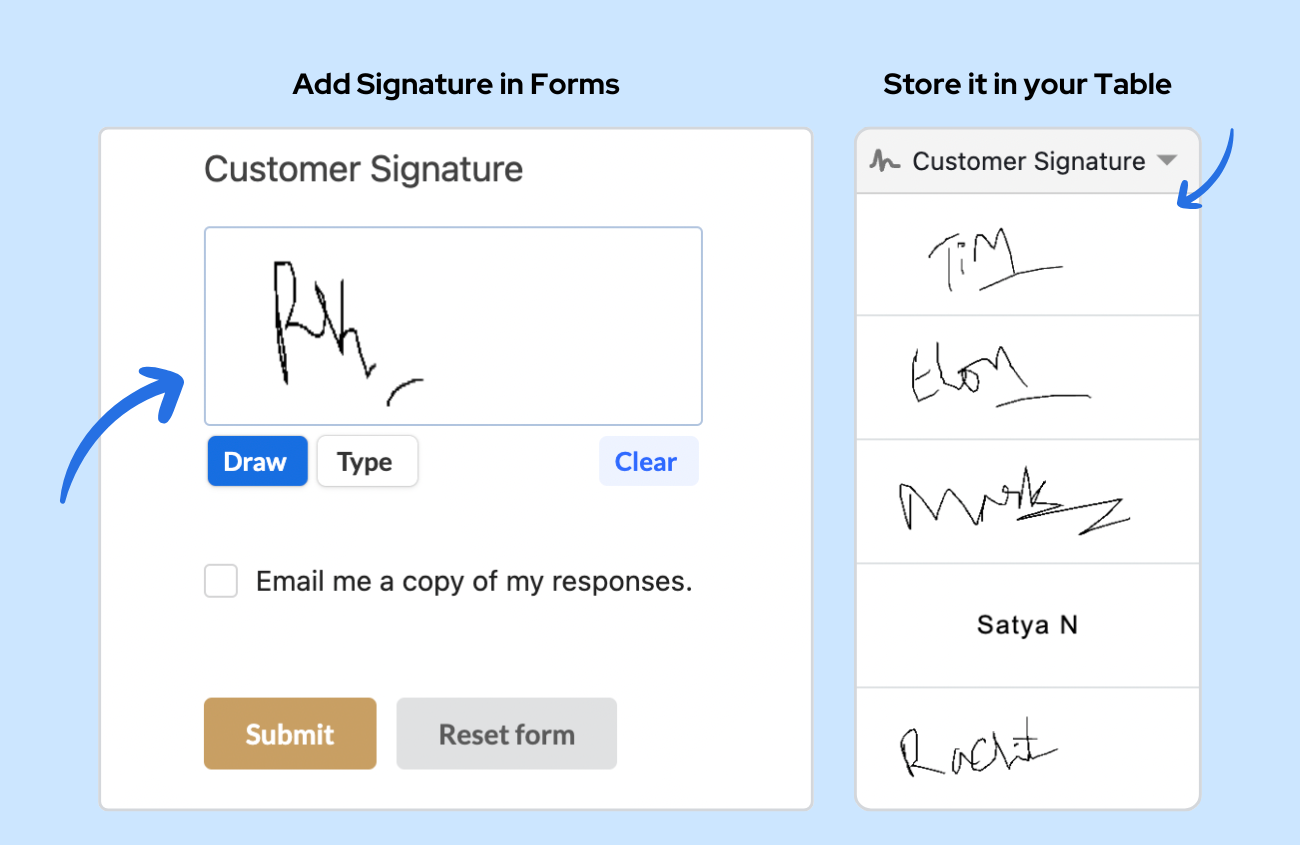
Say goodbye to integrating third-party e-signature apps. Stackby’s Signature Column Type enables users to digitally add signatures within Stackby, eliminating the need for external tools.
Whether you are approving an internal request, signing off on a delivery, or collecting consent forms from clients, this feature streamlines the process by keeping everything in one place.
 Key Features of the Signature Column
The Signature column is designed to be as flexible and accessible as possible:
- Digital Signature Input: Users can easily draw their signature using a mouse, stylus or a touchscreen.
- Easy Storage & Access: Once a signature is captured, it is securely stored right within the column for easy retrieval.
- Mobile-Friendly: Are your teams working out in the field? They can easily capture signatures on the go using the Stackby mobile app.
 Step-by-Step: How to Add and Use the Signature Column
Adding a Signature column to your workflow is incredibly simple. Just follow these steps:
Step 1: Add the Signature Column
- Open up a Stackby table.* Click on the “+” icon to add a new column.
- Select Signature as the column type.
Step 2: Capture and Save Signatures
- Open the form where the signature needs to be collected.
- Draw your signature using a mouse, stylus, or your finger (for touchscreen devices).
- Save your signature, which will then be stored securely in the respective cell.